Record and compare measurements
Every measurement helps build a clearer picture of how things change over time.
Free for your first 3 patients. No card, no trial clock. See pricing
Every value, next to the ones before it
With ScolioMove you can record measurements, save them in each person's history and compare them with the values you take later.
That gives you quick access to earlier information and makes the differences between successive assessments easier to see.
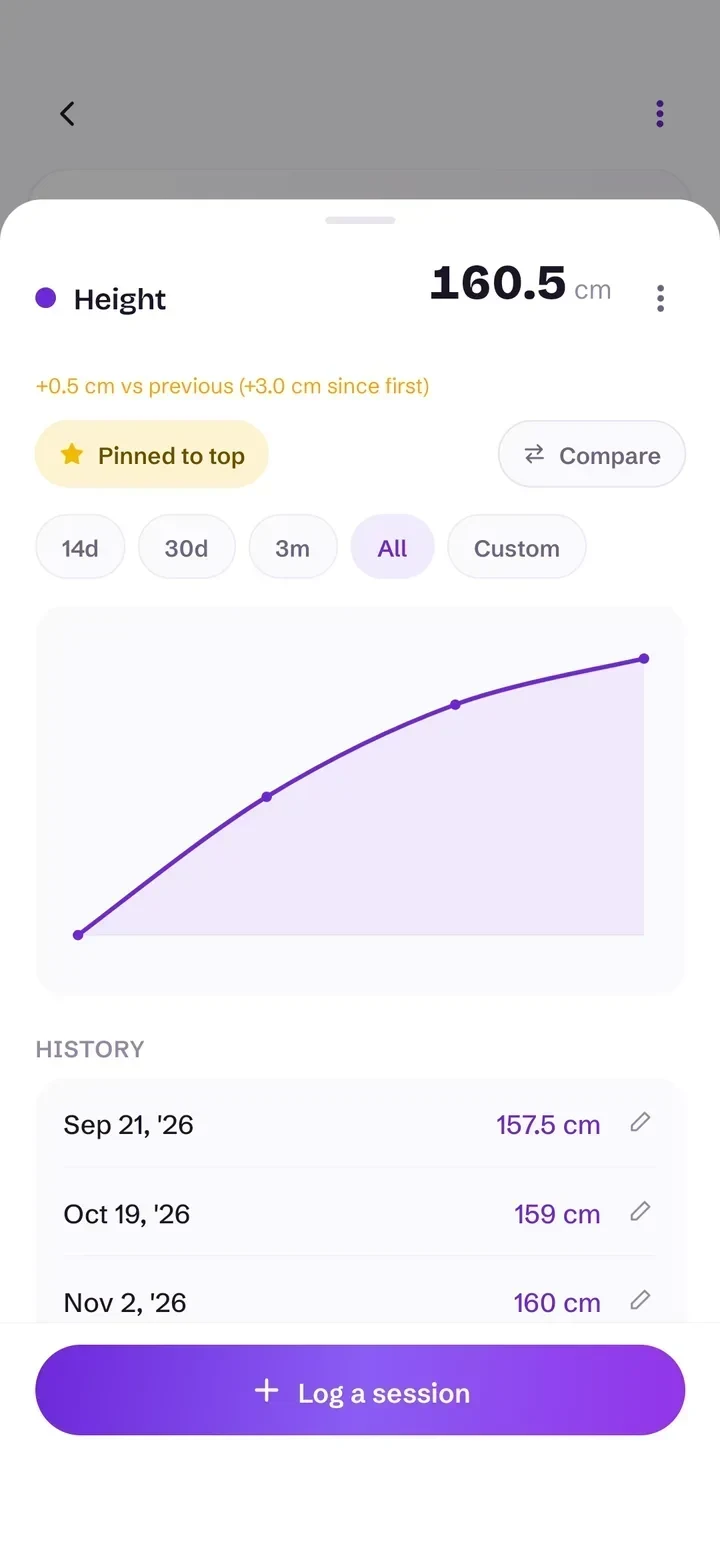
On the person's profile, each pinned measurement shows its latest value, the change since the previous one and the total since the first.
A chart for every measurement
Open a measurement to see every value on a chart, from the first entry to the latest.
Switch between the last 30 days, 3 months, all time or a period of your own. Under the chart, the history lists each value with its date.
Two measurements on the same chart
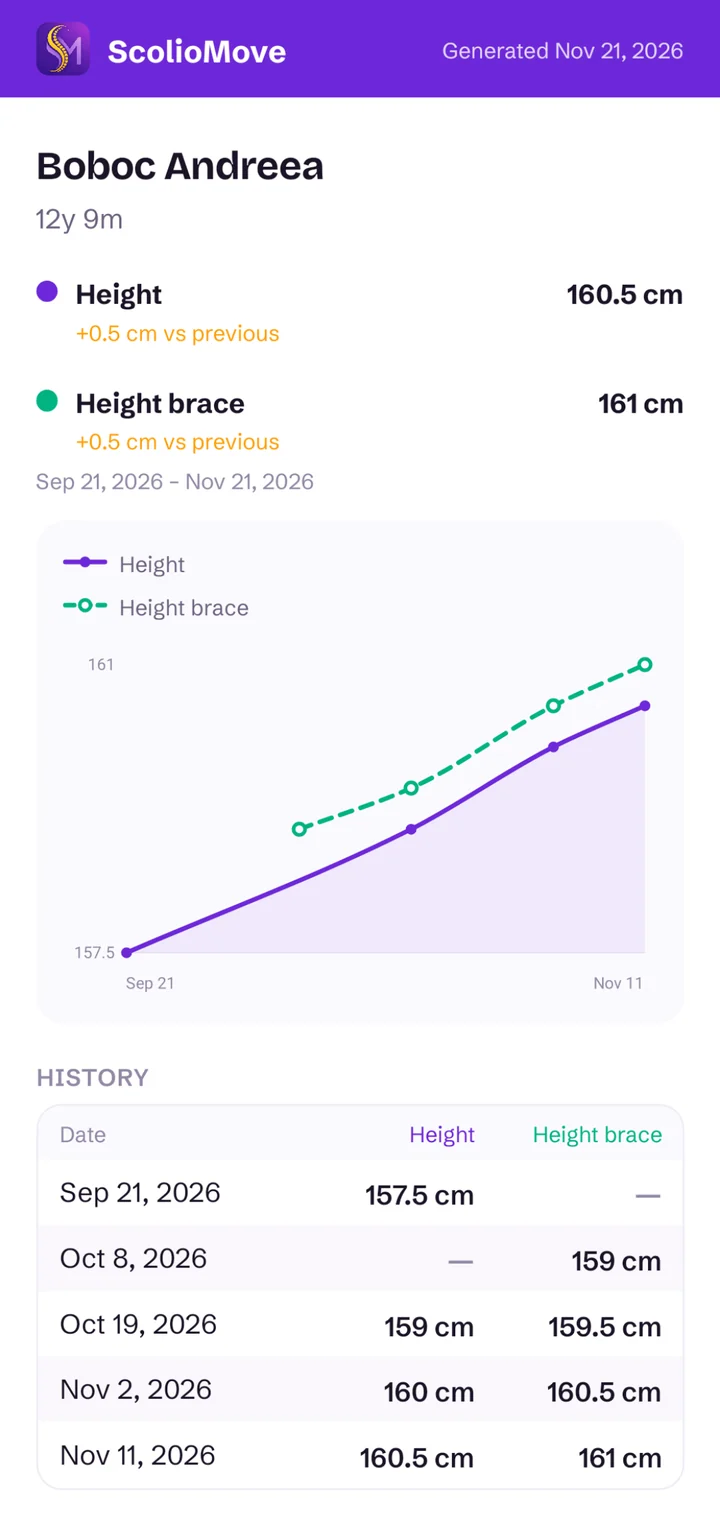
Measurements in the same unit can share one chart — height with and without the brace, for example.
The second one is drawn as a dashed line, and the history lists both values side by side, day by day.
What the patient receives
One image, easy to read on any phone: both lines when you compared two measurements, and the dated values underneath. The patient and their family see the same progress you do.
Every session on its day
The calendar marks the days with values, photos and comments. Tap a day to see what was recorded, or step back through the months.
Switch to the timeline to read the whole history in order, newest first.
Targets you can both follow
Some of what matters is not a measurement but a habit: hours in the brace, days of exercise each week. Set the target and the period, log what was done, and see how much of it was reached.
Open a goal to see every logged value on a chart against its target, with the history underneath.
Fewer notebooks. A clearer view of the evolution.
Measurements stay with the person they belong to, in date order, ready to open while they are in front of you.
Frequently asked questions
No. ScolioMove is a record-keeping logbook for physiotherapists. Its angle tools are measuring helpers for your own notes — the app does not screen, diagnose, or recommend treatment. It documents the clinical decisions you make; it does not make them.